
PhonePe and GPay Gaming Deposits: How to Use Both in India
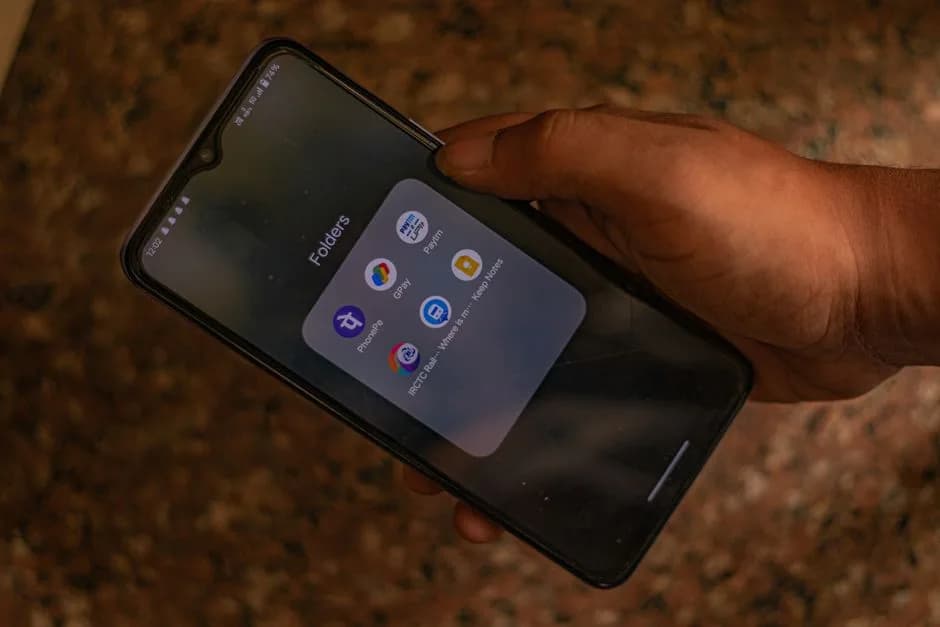
PhonePe and GPay both use India's UPI rails and are the most widely accepted payment apps for gaming deposits. Both offer instant transfers and the same bank-set limits (typically ₹1–2 lakh per transaction). If one app fails, the other often succeeds because they route through different payment gateways.
For Indian gaming players, PhonePe GPay gaming deposits are the two most common ways to fund a balance — both are instant, both use UPI rails, and both pull from the same linked bank account. The difference is not in speed but in which platforms accept each app and how each handles merchant-level blocks.
PhonePe vs GPay — Is There a Real Difference?
Both apps use the NPCI’s UPI infrastructure — the underlying transfer rails are identical. A failed payment is almost never caused by the app itself; it’s caused by your bank blocking the gaming merchant’s MCC code. PhonePe may succeed where GPay fails simply because the two apps route through different payment gateways with slightly different MCC handling at the bank’s end. Switching apps — while keeping the same bank account linked — is enough to resolve most blocking issues.
How to Deposit with PhonePe
In your gaming account, select Deposit → UPI → PhonePe (if listed) or scan the platform’s QR code.
PhonePe opens with the payment amount pre-filled — verify the merchant name and amount.
Enter your PhonePe UPI PIN to authorise the transfer.
A success screen confirms the payment — your gaming balance updates within seconds.
How to Deposit with GPay
On the gaming platform’s deposit page, copy the platform’s UPI ID or scan its QR code.
Open GPay → New Payment → UPI ID, paste the platform’s UPI ID, and enter the amount.
Confirm the recipient name matches the gaming platform and proceed to pay.
Enter your bank UPI PIN — the credit appears in your gaming account immediately.
When Deposits Fail and What to Do
If PhonePe fails, try GPay next. If both fail with the same bank, add a second bank account to one of the apps and retry — a different issuing bank often bypasses the MCC block. If the failure message says “transaction limit exceeded,” you’ve hit your bank’s daily UPI cap; wait for the midnight reset or use NEFT/bank transfer instead. Always note the UTR number from any failed transaction. For full UPI deposit guidance, see our UPI deposit gaming guide.
PhonePe vs GPay for Gaming Deposits
| Feature | PhonePe | Google Pay (GPay) |
|---|---|---|
| UPI Compatible | Yes | Yes |
| Per-Transaction Limit | Up to ₹1 lakh (bank-set) | Up to ₹1 lakh (bank-set) |
| Gaming Platform Acceptance | Widely accepted | Widely accepted |
| Multi-bank Linking | Yes | Yes |
| Failed Refund Timeline | 3–5 business days | 3–5 business days |
| Direct Gaming Integration | Common | Less common (usually via QR/UPI ID) |
Frequently Asked Questions

Written by
Rohan KapoorReviews & Trust Editor
Rohan covers platform reviews, bonus terms, and payments and security topics for UU7 and checks every platform claim against its own published terms before it goes to print.
Sources
Comments
Related Reading
 Betting Guides
UPI Deposit Gaming: How to Fund Your Gaming Account in India
UPI deposit gaming in India is instant and fee-free, but bank MCC blocks cause failed transactions. Here's how deposits work and how to fix common failures.
 Betting Guides
UPI Withdrawal Gaming: How Gaming Payouts Work in India
UPI withdrawal gaming in India processes most payouts in minutes once KYC is complete. Here's what causes delays and how to avoid them.
 Betting Guides
Best Real Money Gaming Apps in India (2026)
What actually separates a good real-money gaming app from a risky one — game variety, payout speed, licensing signals, and bonus terms.
 Betting Guides
UU7GAME vs. Other Gaming Apps
How UU7GAME compares to typical real-money gaming apps on game variety, payout speed, fairness signals, and bonus structure — without naming unverified rivals.